Free tool
Free Manga Maker
Type your story, pick a manga, manhwa or webtoon style, and get finished pages with panels and speech bubbles.
No drawing skills needed. Up to 12 pages per story, free to start.
- Manga
- Manhwa
- Webtoon
- Comic strip
Your Story, Your Comic
Watch your ideas become full manga and webtoon pages.
Characters Stay True
Your main characters look consistent, panel after panel, in any style you pick.
Shareable & Free
Craft vertical webtoons for your phone, no drawing skills needed, and start free!



Yume Comic at a glance
Yume Comic is an AI comic maker for the web and Android. You type a story, pick an art style, and it draws finished manga, manhwa, webtoon or comic pages with panels and speech bubbles. No drawing skills needed.
What you get
- Finished comic pages with panels, speech bubbles and captions, drawn from your text
- The same characters on every page, built from a description or a reference photo
- PNG downloads with no watermark, ready to share or publish
- Speech bubbles written in any of 30 languages
- Price
- Free to start: 1 page with up to 4 panels, no card needed. Pro from $4.99 a week or $9.99 a month.
- Art styles
- 31 styles, 20 of them free (manga, anime, cartoon, chibi and more)
- Comic length
- Up to 12 pages per comic and up to 8 panels per page
- Characters
- Up to 4 consistent characters per comic
- Text languages
- 30 languages for dialogue and captions
- Download
- PNG, portrait 3:4 page, no watermark
- Speed
- About a minute for a one-page comic
- Usage rights
- Personal and commercial use, under our Terms of Service
- Platforms
- Web browser and Android app
Made with Yume Comic
Your Story, Your Style
See your ideas come alive in dozens of manga, manhwa, and webtoon styles, ready to share.
 Dynamic Battle Manga
 Sweet Romance Scene
 Scrollable Webtoon Panel
 Intense Drama Comic
 Playful Chibi Moment
 Epic Fantasy Manhwa
Why us
Your story, Your comic.
A manga maker turns your story into finished manga pages without drawing. Type your story, pick a style (manga, manhwa or webtoon), and Yume Comic lays out the panels and keeps your characters looking the same on every page, with no drawing skills required.
- 1
Your Story, Made Visual
Got a cool idea or a quick script? Watch Yume Comic turn your text into a complete manga, manhwa, or webtoon page. No drawing skills needed, just your imagination.
- 2
Any Style, Your Way
Whether you dream of shonen action, a romantic webtoon, or a dramatic manhwa, Yume Comic lets you pick the perfect style. Explore dozens of options to match your unique vision.
- 3
Characters That Stay Themselves
Tired of your main character changing looks in every panel? Our engine keeps your heroes and villains consistent, so their journey unfolds smoothly from one scene to the next.
- 4
Start Creating, Right Now
Jump straight into making your first comic page without any downloads or installs. Yume Comic works right in your browser, so you can go from idea to finished panel in a flash.
Explore
All about creating comics
Why an AI Manga Maker is Your New Best Friend
Ever wished you could bring your epic story to life as a manga? An AI manga maker lets you do just that, no drawing skills required. It’s like having an art assistant for your wildest ideas. Start turning your concepts into real comic pages.
Info: Ever had a story stuck in your head because you couldn't draw it? We've been there too. Now you can just type out your ideas and watch this free comic maker turn them into real manga pages with consistent characters and beautiful layouts. It's like having a professional artist ready to draw your script whenever inspiration strikes.
Getting Started with a Manga Maker Online
A manga maker online lets you craft your comic pages right from your browser. You type in your scene, pick a style, and watch as your story unfolds into panels. It's super accessible and makes creating your own manga simple. Want the art first and the layout later? The AI manga generator turns a single prompt into manga panels.
Can You Really Make Manga Without Drawing?
Many creators dream of making manga but feel stuck without drawing skills. The biggest hurdle is often just getting started. Traditional tools can feel overwhelming when you simply want to tell your story, not master complex software. You can absolutely make manga without drawing.
Tip: To keep your hero looking the same in every panel, give them a unique trait like a bright red scarf or messy blue hair. This helps the maker recognize your character across the whole story so your manga looks consistent and professional.
Yume Comic: Your Best Manga Maker App for Storytellers
Yume Comic helps your ideas jump straight onto manga pages. It keeps your characters consistent and offers tons of styles, so your story always looks just right. It’s the best manga maker app to get your imagination flowing onto the page.
How it works
It's easy to make your manga!
Turn your ideas into a full comic page in just a few clicks.

Tell your story
Type in a few lines about your idea or paste a script. Yume Comic understands what you want to create.
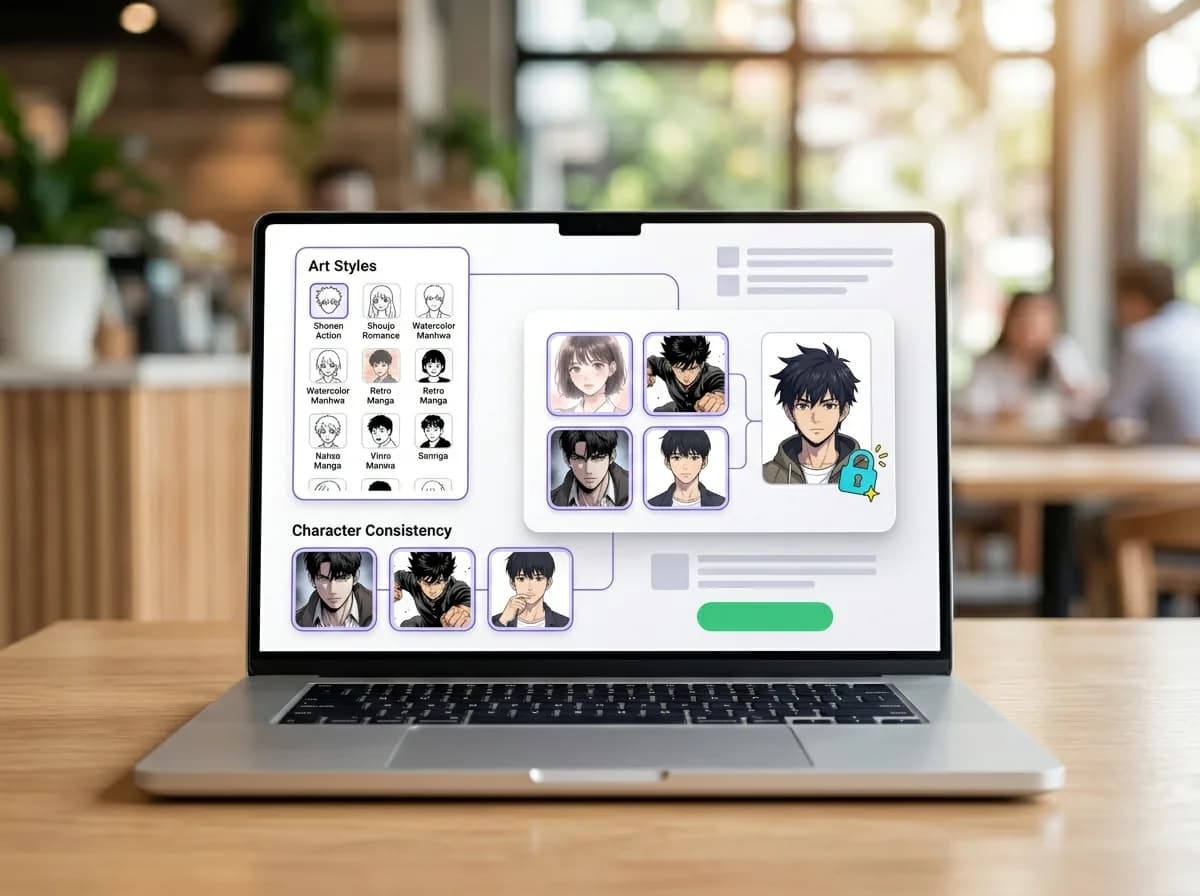
Pick a style, keep your characters
Choose from dozens of manga and webtoon art styles. Our AI makes sure your characters look consistent across every panel.
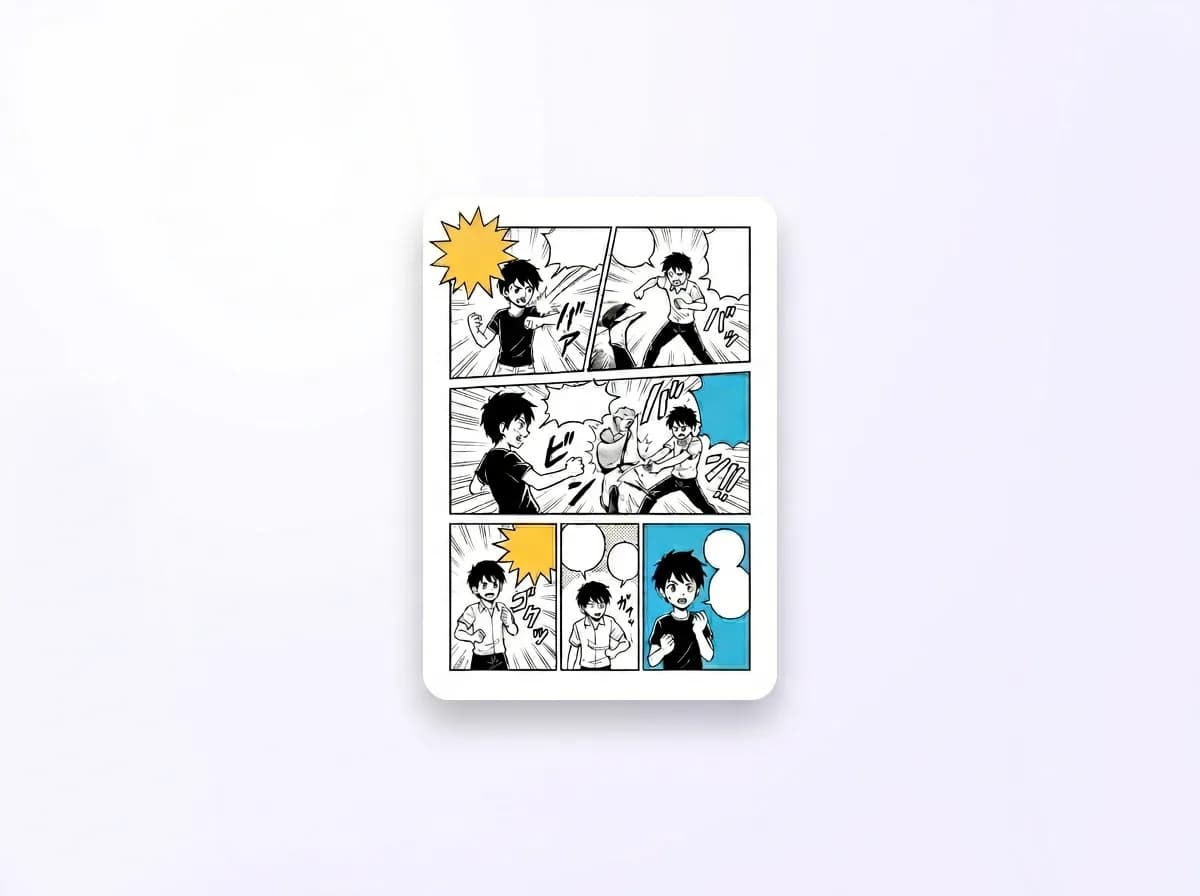
Generate your pages
Hit 'Create' and watch your story unfold into multi-panel pages with speech bubbles. Download or share your webtoon!
Who's ready to make a comic? You are!
Whether you're a storyteller, a fan, or just curious, Yume Comic helps you bring your unique ideas to life.

Your Story, Your Comic
Have a brilliant story in your head but can't draw? Yume Comic lets you turn those ideas into real manga, manhwa, or webtoon pages. It's your vision, brought to life.

Make Manga Without Drawing
Skip the complicated art software! Yume Comic is a manga creator free tool that makes turning your prompts into multi-panel pages simple. No drawing skills? No problem – just your imagination.
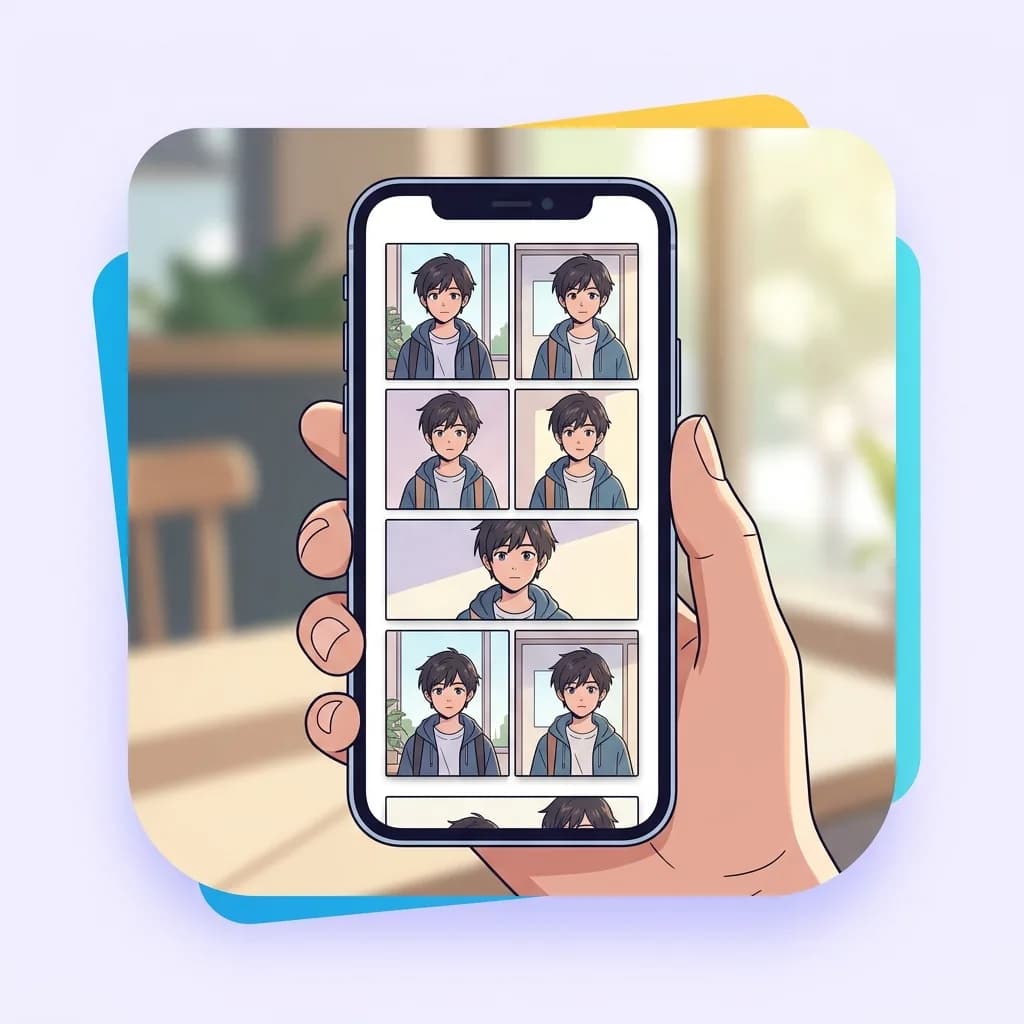
Full Pages, Consistent Characters
Tired of single images? Create entire comic pages with speech bubbles and keep your characters looking the same across every panel. Your unique style, your consistent cast.
Features
Your comic ideas? Let's turn them into pages.
Check out the tools that make creating your own manga, manhwa, and webtoons a breeze.
Your Story, Page by Page
Dream up a scene, type it in, and watch Yume Comic turn your ideas into multi-panel comic pages. It's like having a whole art team, ready to bring your script to life, complete with speech bubbles and dynamic layouts.
Keep Your Heroes Looking Right
Ever worry your character will change looks halfway through your story? Our clever engine locks in your main character's design, so they'll look consistent and familiar across every panel and page you create. This is crucial for what makes a good manga truly engaging.
Manga, Manhwa, & Webtoon Styles
Dive into dozens of authentic manga, manhwa, and webtoon art styles. From classic shonen to sleek webtoon verticals, you can pick the exact look and feel that perfectly fits your story. Experiment freely and find the visual voice for your comic.
Share Your Scrollable Stories
Got a webtoon in mind? Yume Comic makes it super easy to export your pages into long, vertical scrolls, ready to share and read on any phone. Your friends and family can binge your creations with a simple tap.
Free Browser-Based Studio
Jump right into creating your first comic page without downloading anything. Yume Comic runs smoothly in your browser, so you can start sketching out your story ideas wherever you are, whenever inspiration strikes.
By the numbers
Your stories, brought to life on every page.
Join a growing community of storytellers making their dream comics a reality.
1M+
Comics Created
Stories turned into full comic pages
4.9★
Average Rating
Loved by creators worldwide
150+
Countries
Manga and webtoons made globally
10M+
Panels Generated
Bringing every moment to life
1M+
Comics Created
Stories turned into full comic pages
4.9★
Average Rating
Loved by creators worldwide
150+
Countries
Manga and webtoons made globally
10M+
Panels Generated
Bringing every moment to life
Got questions about making manga?
Can I really create a comic if I can't draw at all?
Absolutely! That's exactly what Yume Comic is for. You just bring your story idea or a few lines of text, and our AI handles all the drawing for you. No need for fancy art skills or complex software, just your imagination. Start with the AI manga generator: describe a scene and it draws the panels for you.
How do I get a finished comic page from my idea?
You'll be surprised! Type or paste your story, pick a style, and Yume Comic turns it into a full, multi-panel comic page with speech bubbles. Generation time depends on the style, the panel count and how busy the queue is. The manga page generator builds a complete multi-panel page from a single description.
Does this tool help keep my characters consistent throughout the story?
Yes. You can save up to 4 characters per comic, each from a written description or a reference image, and Yume Comic reuses them in every panel and page so your lead keeps the same face, hair and outfit. You can design your cast up front with the AI anime character generator.
Can I make different kinds of comics, like webtoons or traditional manga?
Definitely! Whether you're dreaming of a classic manga layout, a dynamic manhwa, or a scrollable webtoon, Yume Comic has you covered. You can pick the format that best fits your narrative. For phone-friendly vertical episodes use the AI webtoon generator, and for full-color Korean-style pages the AI manhwa generator.
Is it possible to share the comics I make directly from the tool?
Yes. Each finished page downloads as a PNG image with no watermark, so you can post it or send it to friends and family from any phone or computer.
Are there many art styles to choose from for my stories?
Yes, about 30 of them, from classic black-and-white shonen and shojo manga to full-color manhwa and webtoon looks. You can make the same story in two styles and keep the one that fits it best.
Do I need to download anything to start making comics?
No. Yume Comic is an online manga maker that runs in any modern browser, so there's nothing to install, and there are iPhone and Android apps too if you'd rather use your phone. It's free to start after you sign up: the trial makes one manga page with up to 4 panels, and Pro plans add more pages, more panels and the Pro styles.
What kind of stories work best with this comic creation process?
Any story you can imagine! From a simple everyday adventure to an epic fantasy, Yume Comic can help you visualize it. If you're looking for inspiration, check out our blog for tips on how to plot a manga story or generate plot ideas. Already have a script? Paste it into the text to manga generator; longer stories suit the graphic novel maker.
Popular
Find Your Next Manga Style
Ready to jump in? Pick a popular style or format and start creating your own story.