Free tool
Comic Strip Maker
A Comic Strip maker is an online comic creator that turns a short idea into panels, captions, and speech bubbles.
- Manga
- Manhwa
- Webtoon
- Comic strip
From prompt to full page
Write a scene and get panels, pacing, and speech bubbles in one go.
Characters that stay recognizable
Keep your hero's face, outfit, and vibe steady from panel to panel.
Pick the format you want
Make manga pages, manhwa layouts, or vertical scroll stories right in your browser.

Made with Yume Comic
See story ideas become real pages in every style
From clean four-panel jokes to dramatic manga pages and tall webtoon scrolls, these finished examples show how your characters, panels, and speech bubbles can look in different styles.
 Rooftop duel
 First confession
 Seoul night chase
 Vertical cliffhanger
 Lunch disaster
 Rainy clue
Why this matters
Why a Comic Strip maker is worth learning
A Comic Strip maker gives a story shape fast, so an idea in your head becomes panels, pacing, and dialogue you can actually read and share. Once you understand how this kind of format works, Yume Comic's free AI comic maker helps you turn short prompts into finished strips without wrestling with complex art software.
- 1
Turn loose ideas into a readable story
A Comic Strip maker helps you move from scattered notes to a clear sequence of panels. That structure forces each beat to earn its place, so your joke lands, your scene flows, and your reader always knows what happens next.
- 2
Show character and emotion in less space
Comic strips say a lot with a few panels, which makes them useful for humor, slice-of-life scenes, and quick classroom projects. Yume Comic's free AI comic maker helps you test expressions, reactions, and speech without drawing every pose by hand.
- 3
Make sharing easier on the web and on phones
A good strip format is easy to post, text, print, or drop into a class assignment. Comic Strip maker workflows keep stories compact, which makes them easier to finish and easier for other people to read in one sitting.
- 4
Practice storytelling without art-school overhead
Comic Strip maker practice teaches pacing, panel order, captions, and dialogue, not just illustration. That matters because most beginners do not struggle with ideas, they struggle with turning those ideas into a complete comic people can follow.
The basics
How does a Comic Strip maker actually work?
These topic blocks explain what a Comic Strip maker does, how people use one online, and what separates a quick toy from a useful comic creator. You will also see which choices shape the final comic, from panel count to speech bubbles and style.
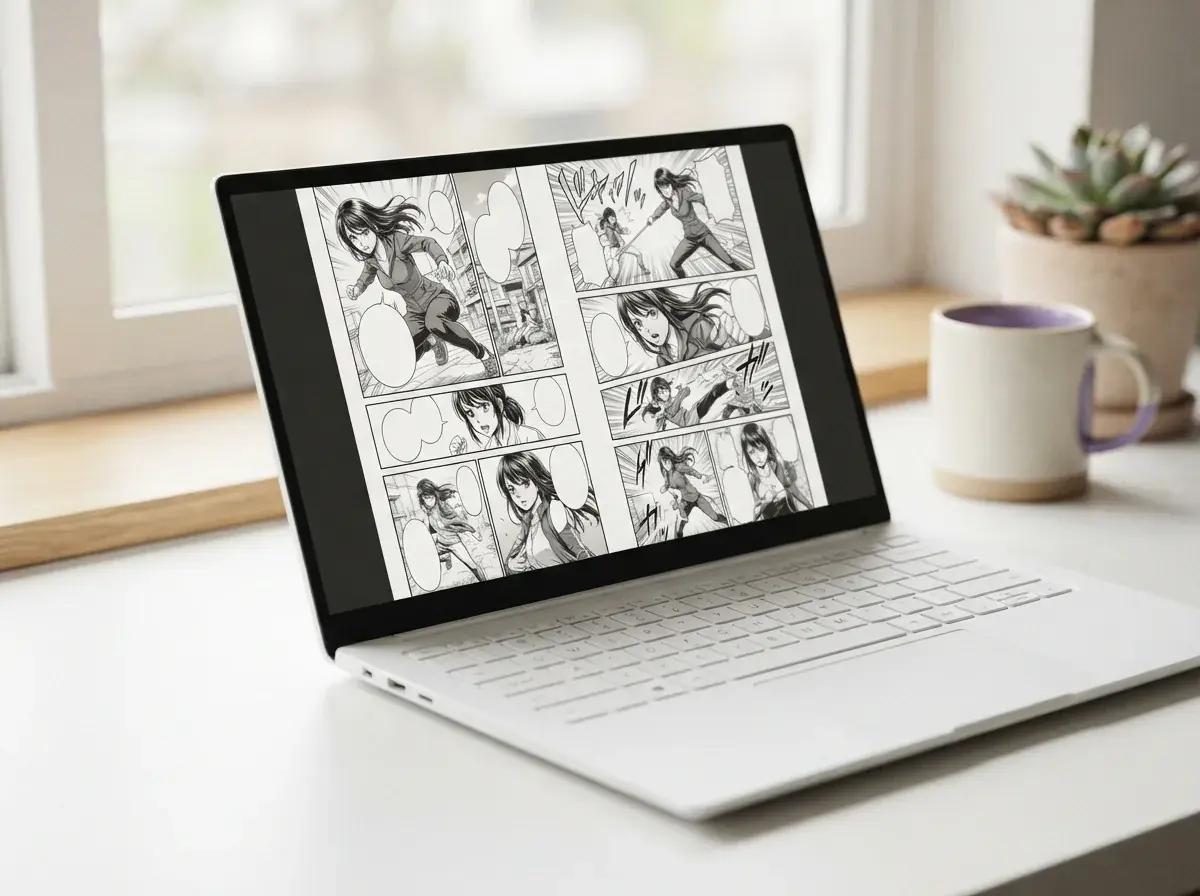
Why use a Comic Strip maker at all?
A free Comic Strip maker solves the biggest first step: turning a small idea into a readable page without learning complex art software. The best options help you arrange panels, add speech bubbles, and test pacing before you spend hours polishing anything. That matters for beginners, parents, and anyone sketching after school or work. If you want a simple place to start planning characters, jokes, or mini stories, a guide on how to start a Comic Strip gives you a clear path from rough idea to finished strip.

What makes a Comic Strip maker useful?
What makes a good Comic Strip is easy to list: a clear setup, readable panel flow, expressive characters, and dialogue that earns its space. A strong strip usually does one job well, such as landing a joke, showing a quick conflict, or teaching one idea. The Comic Strip maker matters here because layout controls the reader’s timing almost as much as the words do. A four-panel joke works best when panel one sets context, panel two builds tension, panel three twists the idea, and panel four delivers the payoff.

Where do people get stuck online?
An online Comic Strip creator often trips people up in three places: too many layout choices, inconsistent character looks, and text that overcrowds the page. Many readers start with a fun prompt, then lose the joke or story beat because every panel competes for attention. A good comic creator keeps the visual goal narrow, one action per panel, one main emotion per beat, and short lines that read fast on a phone. If the strip is meant for class, planning the lesson point first prevents decorative panels from taking over the page.

How can a four-panel Comic Strip maker help?
A four panel comic template gives you the simplest structure for pacing because it forces one idea into four clear beats. Yume Comic's free Comic Strip maker helps by turning a short prompt into a page with panels, speech bubbles, and a stable character reference, so you spend less time rebuilding the same face in every scene. Try a prompt like: "A shy transfer student discovers her backpack talks during math class." The result is a compact manga-style page with an intro panel, reaction beat, reveal, and punchline or cliffhanger.
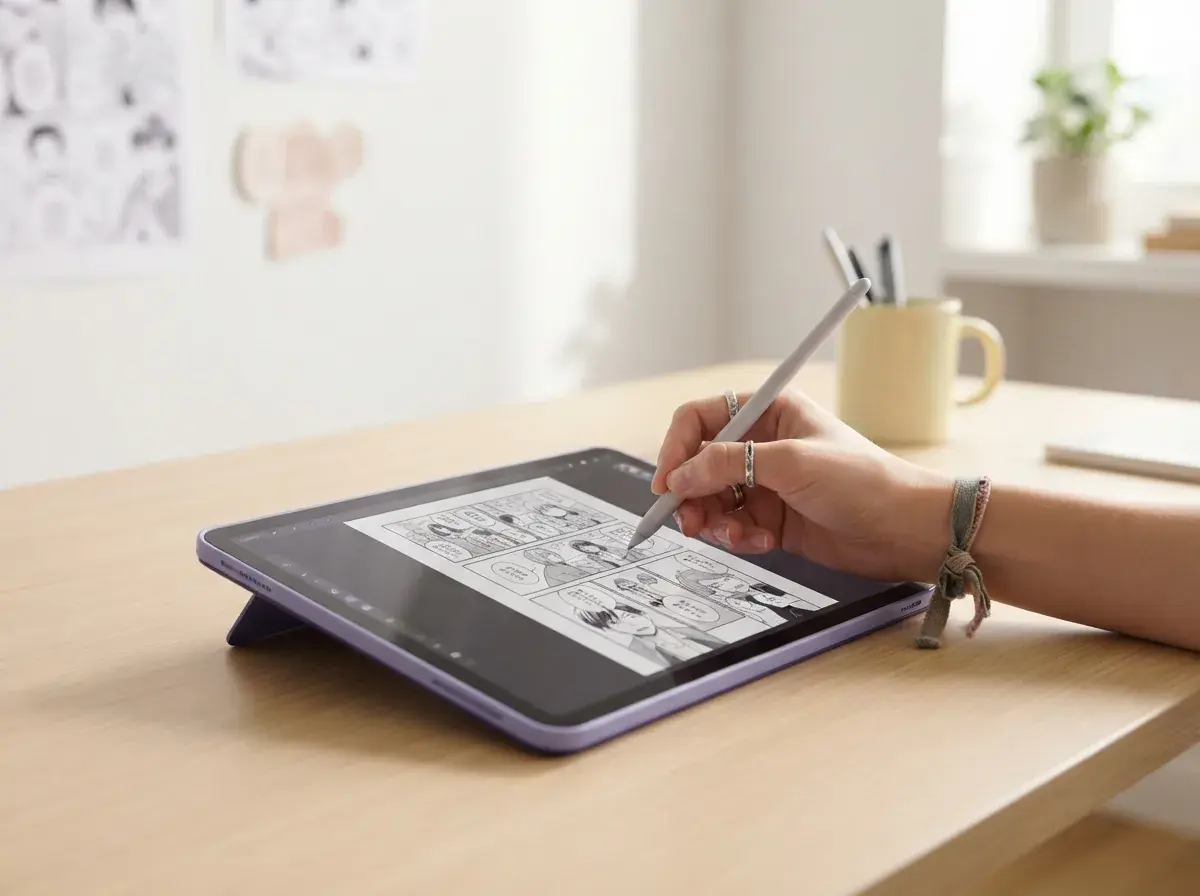
What should you explore after your first strip?
Comic Strip ideas come next after structure, and the best ones are small enough to fit one page: a cafeteria misunderstanding, a magic pet secret, a history joke, or a science concept explained by characters. Once you make a comic and understand pacing, you can branch into humor, classroom assignments, or short webtoon scenes. Students often move from a single strip into a Comic Strip for school, while teachers may prefer an educational comic generator for lesson-ready pages. For fresh prompts, a list of Comic Strip ideas helps you test tone, genre, and panel rhythm fast.
How it works
How to make your comic strip
A simple comic creator workflow turns a short idea into panels, dialogue, and a finished page you can read and share.
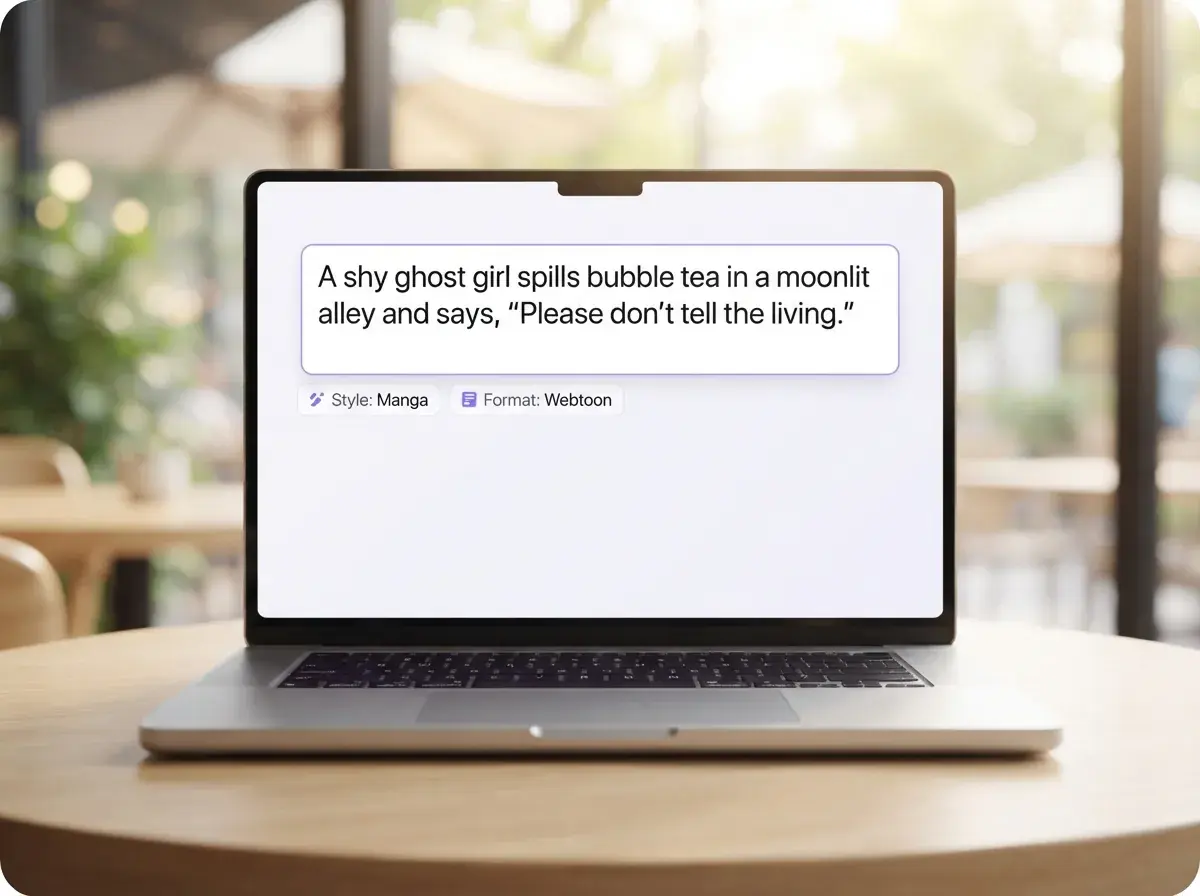
Write a one-scene story prompt
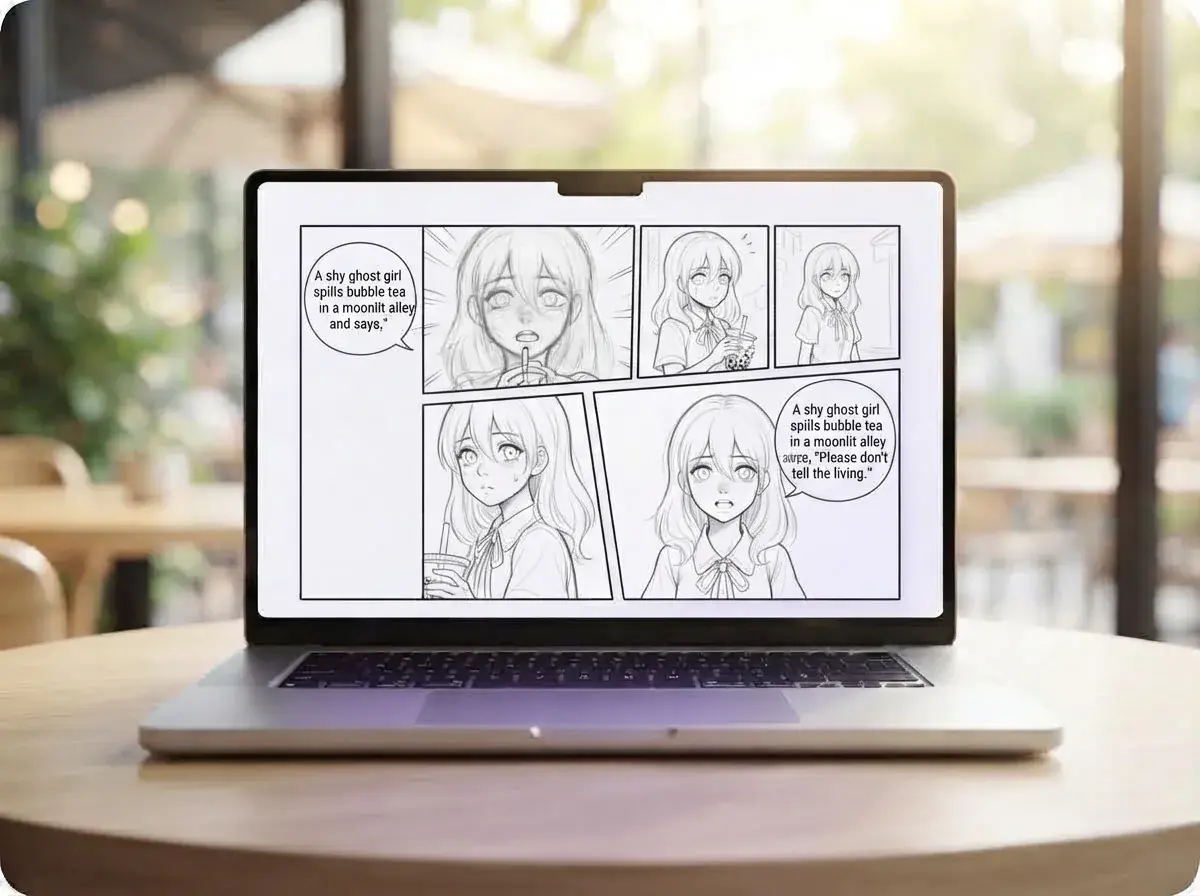
Start with one clear moment, not your whole plot. Name the character, the setting, the mood, and the line of dialogue you want readers to remember, such as: a shy ghost girl spills bubble tea in a moonlit alley and says, "Please don't tell the living."
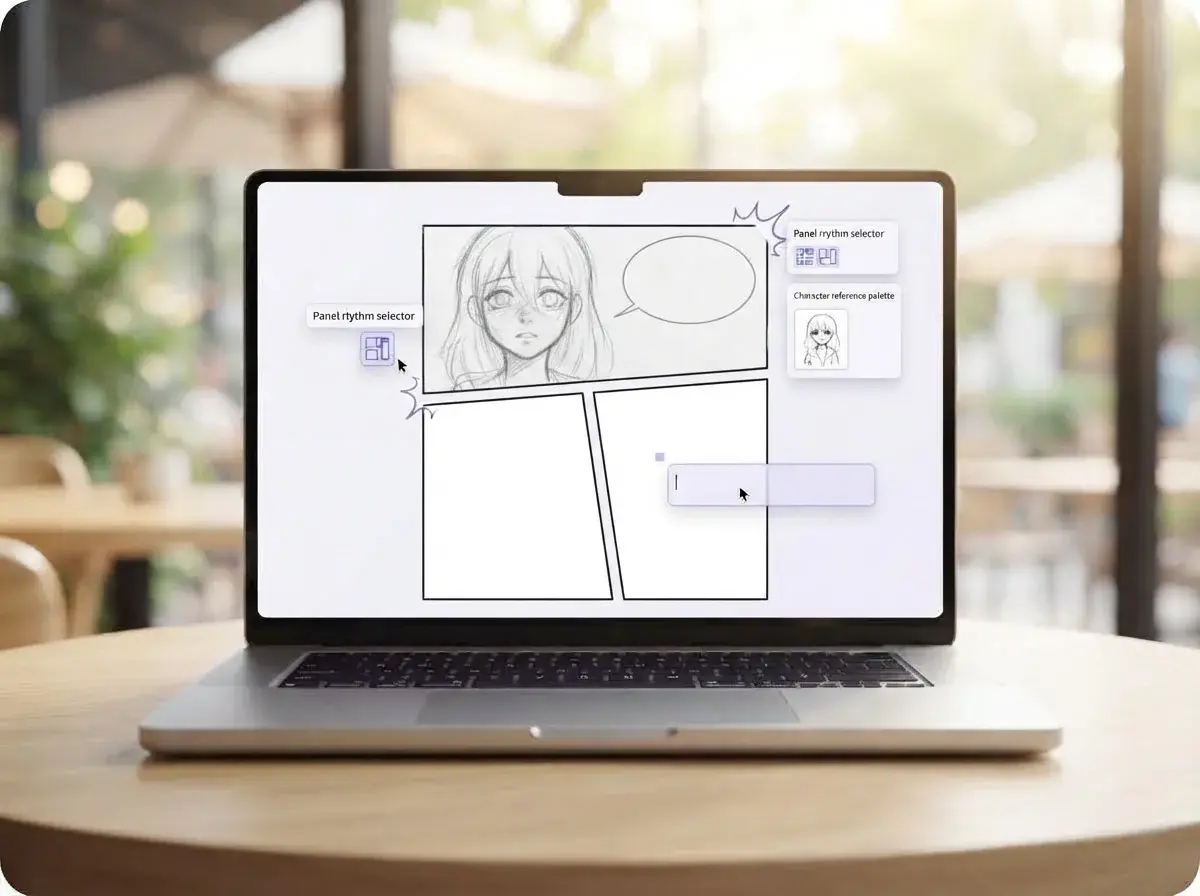
Set the panel flow and character look
Choose how the scene should read before the page is generated. Pick a panel rhythm, decide where speech bubbles belong, and lock your main character's features so the same face, hair, and outfit carry through the page.
Review the page and share the result
Check that each panel reads in order and that the dialogue fits the emotion of the scene. Then export the finished page as a standard comic layout or a tall scroll format for easy reading on a phone.
Who uses a Comic Strip maker and what they make
Students, parents, hobby writers, and first-time creators use a strip maker to turn class prompts, jokes, and original characters into finished panels they can share right away.
Students planning short story assignments
A Comic Strip maker helps students turn a book summary, science concept, or history scene into clear panels with captions and dialogue. Yume Comic's free AI comic maker gives them a fast comic creator for class projects, reading responses, and visual storytelling homework.

Comic Strip generator for school
A Comic Strip generator for school is best for teachers who need readable classroom materials, quick writing prompts, or visual examples for lessons. Teachers use a strip maker to make a comic about lab safety, grammar rules, historical events, or social situations that students can understand at a glance.

Friends turning inside jokes into shareable strips
A Comic Strip maker gives casual storytellers a simple way to turn a funny chat, dating story, or pet disaster into a finished page they can send on their phone. They use Yume Comic to make a comic in manga, manhwa, or webtoon styles when they want characters, speech bubbles, and a layout that feels complete.
Features
What a Comic Strip maker should help you finish
A good Comic Strip maker turns a short idea into readable panels, clear speech bubbles, and characters that stay recognizable from scene to scene. Yume Comic's free AI comic maker helps you draft manga, manhwa, and webtoon pages in your browser, then test different styles without rebuilding the whole page.
Build panel sequences from prompts
A Comic Strip maker should create a full sequence, not just one isolated image. You enter a short story beat, joke setup, classroom prompt, or dialogue, and the page maps it into multiple panels with readable flow. That matters when you want a strip with a beginning, middle, and payoff instead of a random scene. The concrete result is a comic page with panel order, framing, and speech bubbles already in place.
Keep characters steady across panels
A Comic Strip maker works better when the same hero, class mascot, or side character looks consistent from panel to panel. Yume Comic's free AI comic maker uses reusable character references so hair, outfit, and face stay aligned across a page and across later pages. That matters for school projects, recurring jokes, and short series where readers need to recognize the cast fast. The outcome is a strip that reads like one story instead of a stack of mismatched drawings.
Use four-panel story pacing
A Comic Strip maker should support tight pacing when you want a clean setup, build, twist, and punchline. If you need that classic rhythm, a simple four-panel layout gives each beat its own space and keeps reading easy on phones or worksheets. This is useful for short humor, reflective journal comics, and quick explainer strips. For an even tighter workflow, the dedicated 4-panel comic generator helps you format that structure directly.
Shape speech bubbles clearly
A Comic Strip maker is only readable when dialogue and captions are easy to follow. You can place speech bubbles, split narration from dialogue, and keep text from crowding faces or key action inside each panel. That matters when a joke lands on timing or when students need clear visual storytelling for class. If you want to refine wording or placement after the page is built, the comic bubble generator makes that text layer easier to adjust.
Refine panels one by one
A Comic Strip maker gets more useful when you can improve one frame without remaking the whole page. You can swap a reaction shot, change the angle, or redraw a single moment so the strip reads better from left to right or top to bottom. This matters when one weak panel breaks the joke or confuses the action. For focused edits, the comic panel generator helps you rebuild one scene while keeping the rest of the page intact.
By the numbers
Loved by comic fans everywhere comic fans
People use Yume Comic to turn short story ideas into polished pages they can read, share, and revise fast.
1M+
Pages made
Comic pages drafted from prompts, scripts, and story notes
4.8★
Average user rating
High marks for speed, style choice, and easy page creation
50+
Style options
Looks ranging from manga-inspired action to vertical webtoon layouts
150+
Countries reached
Creators read and share their finished comics across the world
1M+
Pages made
Comic pages drafted from prompts, scripts, and story notes
4.8★
Average user rating
High marks for speed, style choice, and easy page creation
50+
Style options
Looks ranging from manga-inspired action to vertical webtoon layouts
150+
Countries reached
Creators read and share their finished comics across the world
Turn your idea into a short comic with panels and dialogue
After you plan the story, pacing, and panel flow, Yume Comic helps you turn that outline into a finished page with characters, speech bubbles, and a layout you can share.
- Make manga, manhwa, and webtoon pages
- Keep characters consistent across panels
- Start free in your browser
Comic Strip maker questions, answered
What does a Comic Strip maker do?
How does Comic Strip maker work?
What inputs does Comic Strip maker take?
How long can a Comic Strip maker output be?
Does Comic Strip maker export high-quality pages without a watermark?
Can a Comic Strip maker add audio or voiceover?
What styles can a Comic Strip maker create?
Why do Comic Strip maker results look wrong sometimes?
How is a Comic Strip maker different from a single-image generator?
Is a free Comic Strip maker good enough for real projects?
What is the best free AI tool?
Who uses a Comic Strip maker, and for what jobs?
Can an online Comic Strip creator help if I cannot draw?
How does a four panel comic template change the story?
Can a Comic Strip generator for school make classroom-safe pages?
What makes a good Comic Strip when you use AI?
Your first comic page is one prompt away Write a line, see your strip appear
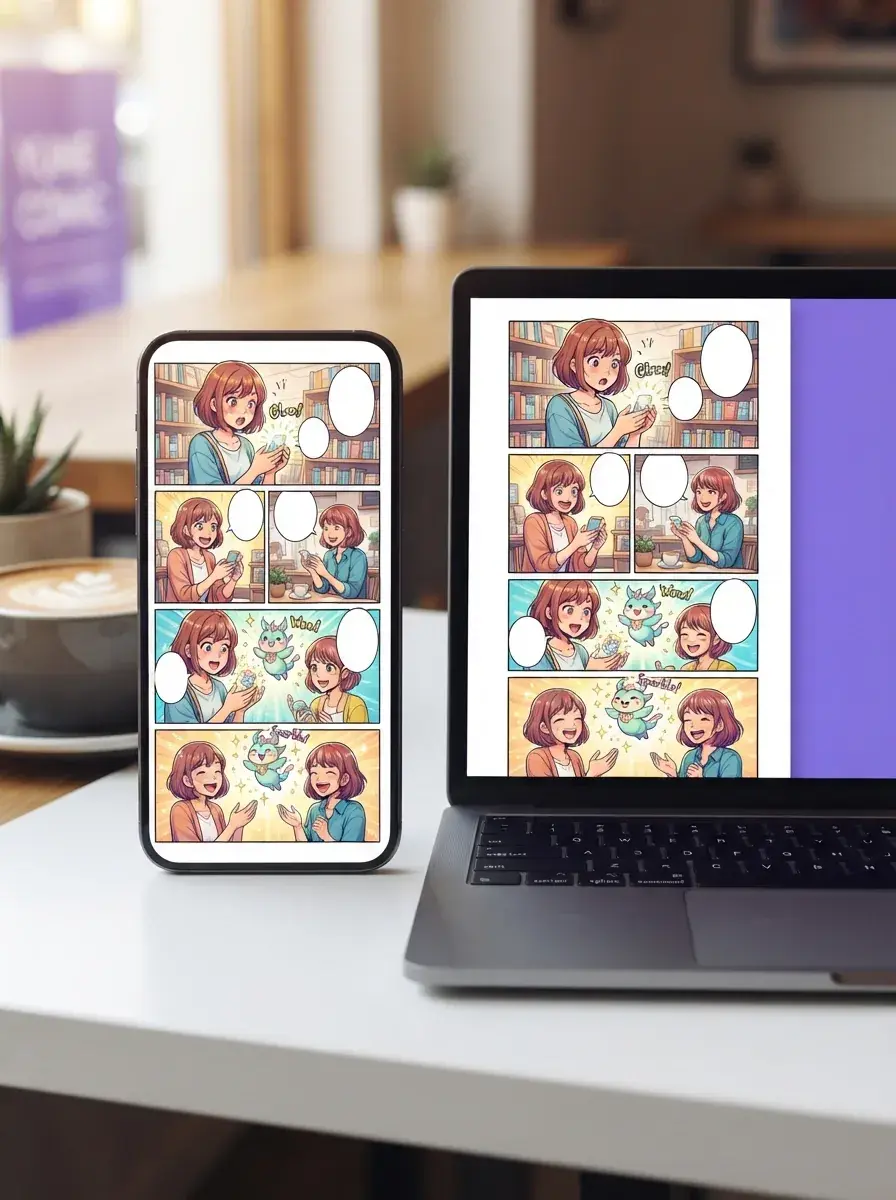
Turn a quick story idea into a finished comic with panels, speech bubbles, and characters that stay recognizable from panel to panel.
- Make your first page right on the web
- No drawing skills needed
- Reusable character references across scenes
Popular
Popular Comic Strip maker styles to start from
Start with a popular format, then shape the Comic Strip maker page around your story, school project, or quick joke.
- AI manga maker
- AI comic generator
- 4 panel comic generator
- Comic panel generator
- Comic bubble generator
- Educational comic generator
- Comic Strip ideas
- Comic strips for school