7 Best Free AI Comic Generators in 2026

We compared every top platform for panel layout, character consistency, and pricing to help you choose the best free AI comic generator.

By Reviewed by Marta KowalHow we review
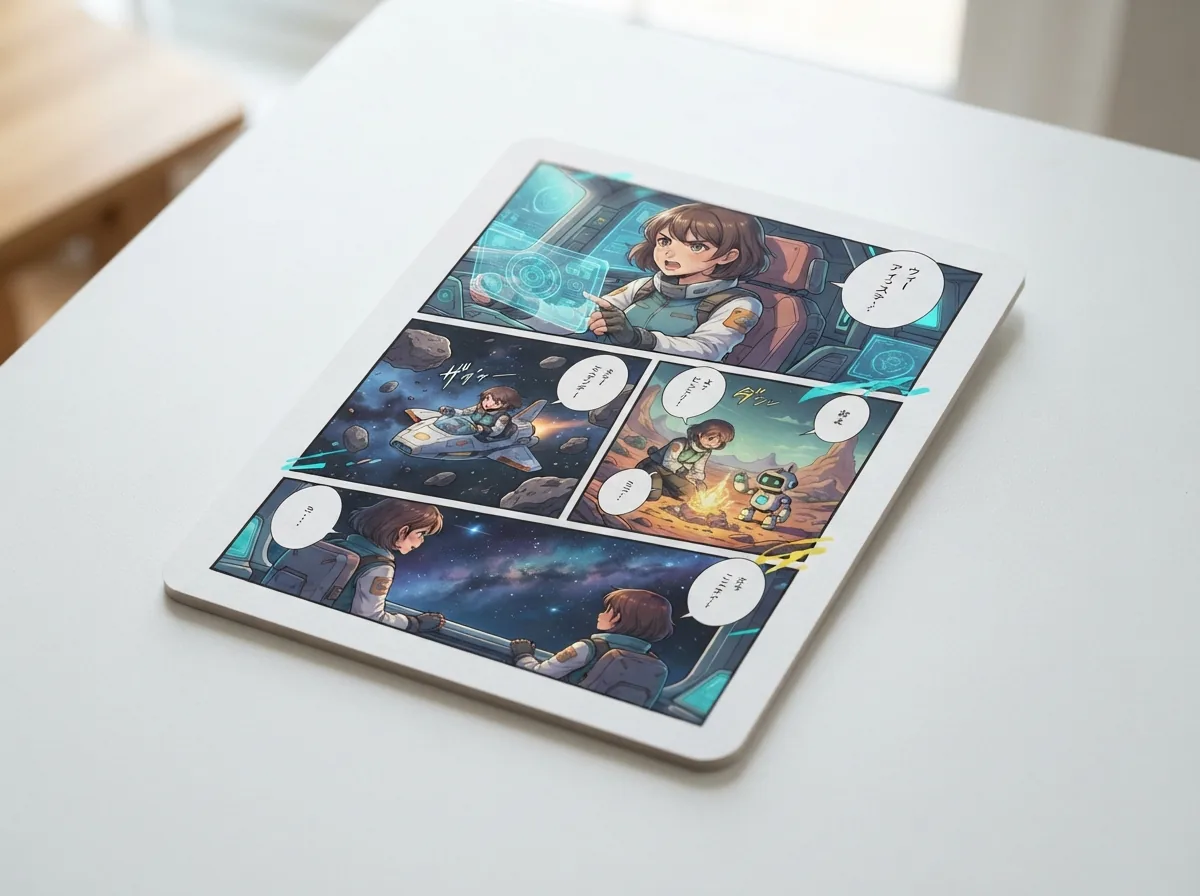
Digital tablet displaying multi-panel manga comic pages in a bright café

Why finding the best free AI comic generator matters

Turning a rough script into finished pages used to require years of illustration training or an experienced art team. With Yume Comic's AI comic maker, anyone can test story concepts directly on multi-panel layouts without sketching a single line. Finding the right free comic maker lets you preview visual pacing, dialogue flow, and panel framing before investing time into longer creative projects.

Multi-panel page layoutsConsistent character castWatermark-free PNG exports
Ranked shortlist

The best free ai comic generator options in 2026, ranked

Ranked on how much you can make for free, character consistency, full-page layouts and style range; every tool's plans and features were checked on its official site in October 2026.

  1. 1

    Yume Comic

    Our pick

    Story prompts to multi-panel manga, manhwa, and webtoon pages · Best for Complete multi-panel manga and webtoon pagesFree to start; Pro $4.99/wk (500 generations/wk) or $29.99/yr (2,000 generations/mo)

    • Up to 12 pages per comic
    • Consistent four-character memory system
    • Thirty manga and manhwa aesthetics
    • Watermark-free PNG page exports
    • Full page layouts with speech bubbles
    • Maintains recurring character details
    • Narrated comic video export option
    • Fixed layouts without manual panel resizing
    Create My Comic

    Yume Comic leads the category by assembling full narrative comic pages directly from a written prompt or script. Instead of stopping at isolated character art, the engine formats complete multi-panel layouts complete with fitted speech bubbles and clean gutters. Creators can save up to four custom characters using reference photos or text descriptions, ensuring cast members remain recognizable across successive pages. The catalog includes roughly thirty visual aesthetics spanning shonen ink, romance manhwa, and modern digital webtoons across thirty supported languages. The platform is free to start after you sign up, generating an initial page with up to four panels without watermarks on finished PNG downloads.

  2. 2

    LlamaGen

    Credit-based comic, manga and webtoon generator with long scripts · Best for Long scripts and many panels per promptFree; paid from $18/mo

    • Text, image or story-idea input
    • Manga, manhwa and webtoon formats
    • Up to 20 panels per prompt (Standard)
    • Education plans for teachers
    • Most panels per prompt on paid plans
    • Claims 50 output languages
    • Teacher and school pricing
    • Free tier: 4 panels, 1 character
    • Commercial terms from Pro upward

    LlamaGen turns a text prompt, a character description, an image or a story idea into comics in manga, manhwa and webtoon formats, and its homepage says it can generate in 50 languages. Where it pulls ahead is scale on paid plans: Standard allows up to 20 panels per prompt and higher tiers go further, so a long script can become many panels in one run. The free tier is a real but narrow taste of the product, capped at 4 panels per page, 1 custom character and a 30-day comic history. Paid plans start at $18 a month billed monthly, and the pricing page lists commercial terms only from the Pro plan upward. Pick it if you already know you will write long episodes and want the most panels per prompt.

  3. 3

    Komiko

    Anime-leaning AI studio with free daily credits · Best for Free daily practice with anime stylesFree daily credits; paid from $9.99/mo

    • Story idea to panels with bubbles
    • Comic, manga, manhwa and anime styles
    • 80 free daily credits
    • iOS app and 14 site languages
    • Daily free credits refill
    • Broad anime creation toolkit
    • Commercial use allowed per FAQ
    • Daily credits expire at midnight
    • No-watermark listed as paid feature

    Komiko's AI comic generator takes a story idea and a style, then creates panels, art, speech bubbles and narration, with American comic, manga, manhwa, anime or a custom style to choose from. Its free plan is the most generous on a day-to-day basis: new users get a one-time batch of credits, called Zaps, plus 80 daily Zaps that reset at midnight, so you can practise a little every day without paying. Paid plans start at $9.99 a month on the web, and the pricing page lists "No watermark" as a paid-plan feature. The same account also opens an OC maker, an animation generator and character chat, which suits anime fans who want more than comics. An iOS app exists, though in-app prices are higher than on the web.

  4. 4

    Anifusion

    Desktop manga studio with deep manual control · Best for Hands-on manga artists who edit panelsFree (100 sign-up credits); paid from $9/mo

    • Panel-by-panel prompts and layouts
    • Six-view character sheets
    • LoRA training and upload
    • Vertical text and manga fonts
    • Deepest manual editing here
    • Strong character reference tools
    • Unused paid credits roll over
    • One-off 100 free credits
    • Desktop only, no mobile

    Anifusion is built for creators who want to direct every panel. You describe each panel in plain language, choose a preset layout or build your own, and then refine the page with speech bubbles, vertical text and manga fonts. It goes further than most tools on characters: a description becomes a reusable six-view character sheet, and you can train or upload LoRA models for a consistent look. The free trial gives 100 credits once after sign-up, and each image costs between 5 and 100 credits depending on the model, so the initial allowance runs out quickly. Creator costs $9 a month and Pro $24 a month, and both add high-resolution exports and commercial use. Anifusion says there is no mobile version, so plan on a desktop browser.

  5. 5

    AI Comic Factory

    Open-source one-prompt comic generator on Hugging Face · Best for Free experiments and self-hosting developersFree (open source)

    • One prompt to a full comic
    • Language model plus SDXL panels
    • Apache-2.0 open source
    • Runs as a Hugging Face Space
    • Free to use
    • Open source and self-hostable
    • Fast single-prompt results
    • Archived since October 2025
    • No character consistency feature stated

    AI Comic Factory, created by Julian Bilcke, runs as a free Hugging Face Space whose description is simply "Create your own AI comic with a single prompt". It pairs a language model that writes the story with SDXL, which draws the panels, and its source code is open under the Apache-2.0 license. That makes it the only tool on this list you can study, modify and host yourself, although the README warns that self-hosting means wiring up separate frontend, backend, language-model and rendering services. No price is shown anywhere. The trade-off is maintenance: the GitHub repository was archived on 31 October 2025, so the project is no longer developed, and the README's official website did not resolve when we checked. Use it for quick, free experiments or as a starting point for your own build.

  6. 6

    Canva

    Template-based comic strip maker inside a design suite · Best for Polished strips for class or social postsFree; paid from $18/mo

    • Comic strip templates and grids
    • Speech bubbles and 100+ fonts
    • Photo-to-cartoon for characters
    • Real-time collaboration
    • Huge template library
    • Team collaboration and print
    • Free plan with some AI uses
    • No one-prompt story-to-comic
    • Free AI capped at 20 uses

    Canva is not a story-to-comic generator; it is a design platform whose comic strip maker gives you templates, resizable grids and frames, speech bubbles and more than a hundred free fonts. You place the characters yourself, upload your own sketches or turn a photo into a cartoon, and then share to social media or download for print. That manual workflow is slower than prompting a full page, but Canva wins on everything around the comic: a huge template library, real-time collaboration and print-ready design. The free plan costs nothing and includes up to 20 AI uses, while Pro costs US$144 a year. Choose Canva when the comic is one part of a poster, lesson or social campaign and the layout matters more than generating the art.

  7. 7

    Storyboard That

    Drag-and-drop storyboard and comic creator for schools · Best for Teachers and classroom assignmentsFree (watermarked); paid plans see site

    • Drag-and-drop scenes and characters
    • Free Teacher edition
    • Classroom assignment management
    • Up to 100 cells on paid plans
    • Best classroom management
    • Free tier available
    • Students build comics themselves
    • Not an AI art generator
    • Free downloads are watermarked

    Storyboard That has been a classroom staple for years, and it remains a drag-and-drop builder rather than an AI image generator: you assemble scenes from a library of characters, backgrounds and props. Its free edition allows two storyboards a week in the classic layout with a 3-cell option, and downloaded images carry a watermark. It is free to start after you sign up for a Teacher edition, and the Premium Teacher plan adds assignment and classroom management, which is where it beats every AI tool on this list. Paid Individual plans remove the watermark and allow up to 100 cells per storyboard; the public pricing page shows a $1 first month, but not the regular price. Pick it for structured school projects where students build the comic themselves.

At a glance

How these alternatives compare

The shortlist at a glance — what each tool is best for, plus free plan and starting price.

ToolFree planStarting price
1Yume ComicOur pick$4.99/wk
2LlamaGen$18/mo
3Komiko$9.99/mo
4Anifusion$9/mo
5AI Comic FactoryFree
6Canva$18/mo
7Storyboard ThatFree
Evaluation guide

How do you pick the best free AI comic generator?

Comparing comic tools comes down to panel layouts, character consistency, and export quality. Here is what to evaluate before choosing the best free [AI comic generator](/ai-comic-generator) for your next manga or webtoon script.

How does the best free AI comic generator work?

A modern comic book maker turns written scene text directly into illustrated panels with automated speech bubbles. For example, entering the prompt 'A teenage alchemist accidentally summons a tiny glowing dragon inside a library' produces a multi-panel layout depicting the explosion of light and the stunned librarian. Yume Comic lets you start with a story prompt or random idea and generates complete pages with panel borders, character dialogue, and clear visual sequencing. Tip: Start with a short story prompt and up to four panels. It lets you test your saved characters and chosen art style in a few minutes before building longer comic pages.

How does the best free AI comic generator work?

What visual styles can you choose for your story?

Selecting the best free comic maker usually depends on whether the platform supports your favorite graphic novel aesthetic. Instead of locking you into a single generic illustration filter, versatile tools provide dozens of curated styles covering shonen manga, full-color manhwa, and vertical webtoons. If you are exploring an alternative to Dashtoon, you can test your script across classic black-and-white ink hatching, vibrant digital romance palettes, or gritty noir tones. This flexibility lets you discover the exact visual tone for your narrative before committing to a multi-page story arc.

What visual styles can you choose for your story?

How do pricing tiers and trial options work?

Yume Comic is free to try after you sign up, providing an initial single-page comic with up to four panels across standard art styles. Upgrading to a paid Pro tier expands capacity for creators who need longer sequences up to twelve pages or higher rendering tiers. Because generation operates on metered credits, failed runs do not consume your balance, keeping the testing process predictable. Info: Save up to 4 characters per comic using a text description or reference image to keep your cast looking consistent across every page.

How do pricing tiers and trial options work?

How do you maintain consistent characters across panels?

Finding a reliable free manga generator AI often comes down to how well recurring heroes keep their facial traits and costumes across consecutive scenes. Many basic image generators change a protagonist's hair color or clothing between panels, breaking visual continuity. Dedicated comic platforms solve this problem by letting you save character profiles using written descriptions or uploaded reference images, similar to converting reference art with a photo to comic workflow. Saving up to four distinct characters ensures your protagonists and sidekicks stay recognizable as the plot moves through action scenes and emotional dialogue beats.

How do you maintain consistent characters across panels?

What exports and sharing formats should you expect?

A complete comic creation workflow must deliver clean, usable assets ready for digital readers and social feeds. An effective AI comic maker delivers completed multi-panel pages as high-resolution PNG files without watermarks, making them simple to post or compile into digital volumes. Some platforms also include narration tools to convert finished panel sequences into short narrated videos. With direct graphic downloads, creators can easily share webtoon scrolls with readers or archive their stories in print-ready resolutions.

What exports and sharing formats should you expect?
Comic creation features

Key features that define the best free AI comic generator

A reliable workflow requires multi-panel page assembly, readable speech bubbles, and visual consistency across panels. Yume Comic's AI comic maker brings these capabilities together so you get the results expected from the best free AI comic generator directly in your browser.

Which AI comic generator is best for character consistency

When deciding which AI comic generator is best, look closely at how the platform handles character continuity across panels. Yume Comic's AI comic maker lets you save up to 4 characters using text descriptions or reference photos so your protagonist retains distinct features across panels. Generic image models redraw faces at random, while dedicated comic engines keep recurring cast members recognizable throughout the story.

Finding the best free webtoon AI for vertical layouts

Anyone hunting for the best free webtoon AI needs multi-panel narrative pacing rather than disconnected square art pieces. Yume Comic arranges your script into complete comic pages with up to 8 panels per page, complete with integrated speech bubbles. You can start your first page on a web browser without installing heavy illustration software or manually stitching panels together.

Automated multi-panel page structure and dialogue

Standalone art models force creators to assemble separate panels inside external graphics tools. A capable free AI comic maker builds structured panel layouts directly from your written script in a few minutes. You choose panel counts from 1 to 8 frames per page, configure your story flow, and export clean PNG pages without any watermark.

Curated manga, manhwa, and graphic novel styles

Visual cohesion separates cohesive stories from random art collections. Dedicated comic generators provide about 30 curated styles spanning traditional black-and-white manga, full-color Korean manhwa, and modern webtoons. Quality settings ranging from draft up to ultra ensure your panels maintain consistent line work and shading across every scene.

Use cases

Who creates original stories with an AI comic maker, and what they produce

Writers, indie storytellers, and social media creators rely on the best free AI comic generator to turn rough outlines into readable panel sequences without drawing every frame by hand.

First-time writers testing an AI comic generator on a starter trial

Aspiring authors can test short story concepts through Yume Comic's AI comic maker using the starter trial. You can enter a short premise, pick from standard art styles, and receive a completed four-panel comic page with dialogue balloons after sign-up.

Webtoon creators drafting vertical episode concepts

Digital storytellers use a free AI comic maker to draft episode pacing and storyboard dialogue before producing full serialized chapters. Setting character descriptions and panel counts lets creators check visual flow across multiple pages without drawing every background by hand.

Tabletop campaign leaders visualizing character encounters

Game masters turn campaign recaps into multi-panel comic pages by saving up to four custom party members for visual consistency. Inputting session highlights produces clean panel scenes with character dialogue ready to download as watermark-free PNG pages for the player group.

Turn your story into a panel-ready comic page with consistent characters

Test an AI comic maker directly in your browser to see your script laid out with speech bubbles and custom art in a few minutes.

Best free AI comic generator questions, answered

What makes the best free AI comic generator worth using?
Finding the best free AI comic generator comes down to panel coherence and character consistency. A capable tool transforms your raw story text into structured multi-panel pages with dialogue bubbles, instead of just making standalone illustrations. It allows creators to preview complete visual narratives in a few minutes without drawing everything by hand.
How does the best free AI comic generator create full layouts?
When evaluating the best free AI comic generator, paneling is automated directly from your script. Yume Comic arranges your story into one, two, four, six, or eight panels per page. The generator places speech bubbles where dialogue occurs, producing a ready-to-read comic page rather than disconnected concept art.
Which AI comic generator is best for webtoons and manga?
Yume Comic ranks among top picks because it specializes in Asian comic layouts rather than generic clips. It supports about 30 distinct visual styles spanning classic shonen to crisp webtoon colors. The tool also lets you save up to four recurring characters so your protagonists stay recognizable throughout the chapter.
Can you use an AI comic generator no signup required?
Most tools on this list ask for an account first, because your characters and pages have to be saved somewhere. AI Comic Factory runs as a Hugging Face Space, and Canva and Storyboard That have free plans once you create an account. Yume Comic is free to start after you sign up: the trial makes 1 comic page with up to 4 panels, and you can try it from the AI comic generator page.
Can you try an AI comic generator on a free trial?
Yes, you can test features using trial credits. Your account includes an introductory trial page featuring up to four panels and standard non-Pro art styles. For ongoing projects, paid tiers include Pro Weekly at $4.99 for 500 generations and Pro Yearly at $29.99 for 2,000 monthly generations.
What features should a creator look for in a free AI comic generator?
Look for multi-panel page support, consistent character rendering, and clean exports. A practical free AI comic generator should provide speech bubbles directly on the page and export clean PNG files. It should also offer diverse genres so you can match the visual style to your narrative tone.
How does a free manga generator AI maintain character consistency across panels?
A dedicated free manga generator AI uses reference descriptions or uploaded images to preserve character features. In Yume Comic, you can store up to four saved characters per comic. The system references those details across all panels on the page so your cast remains visually consistent from start to finish.
Which platform stands out as the best free webtoon AI for vertical stories?
Yume Comic serves webtoon writers by formatting vertical storytelling with vibrant manhwa art styles. You can structure your narrative across multiple pages, generating up to 12 pages per comic on paid plans. Each completed page downloads as a crisp PNG, ready for digital reading platforms or social media feeds.
Can the best free comic maker export high-resolution files without watermarks?
Yes, quality tools provide clean exports without watermarks. Yume Comic lets you download finished comic pages as full PNG files without watermarks on both trial and paid plans. You receive the complete page as rendered, making it easy to share with friends or publish online immediately.
What inputs can you feed into Yume Comic's AI comic maker?
Yume Comic's AI comic maker accepts custom written text, scene scripts, or random story prompts from the surprise button. You can also upload a reference photo or type a descriptive summary to establish recurring character appearances across your panels before choosing an art style.
Can Yume Comic turn comic pages into narrated videos?
Yes, the Comic Video Maker feature can transform up to six finished comic pages into a narrated video. It pairs your generated visuals with voiceover narration, creating a dynamic reading experience that works well for sharing your visual stories on video-first social media feeds.
What are the commercial rights when using an AI comic maker?
Your comics come with a worldwide, non-exclusive license to use, share and publish them for personal and commercial purposes under the YumeComic Terms of Service. You keep ownership of the story text and images you upload; generated outputs are not guaranteed to be unique.
Which free AI comic generator is open source?
AI Comic Factory is the open-source option on this list. Its code is published under the Apache-2.0 license and it runs free as a Hugging Face Space, pairing a language model for the story with SDXL for the panels. Its GitHub repository was archived on 31 October 2025, so expect no new features.
What happened to Dashtoon's AI comic studio?
Dashtoon's official notice says its creation product, Dashtoon Studio, shut down on 15 August 2026 and is no longer available; creators are pointed to Frameo, the company's AI video platform. The Dashtoon reading app is still live. If you used it to make comics, compare the options on our Dashtoon alternatives page.
Do free AI comic generators add a watermark to your pages?
It depends on the tool. Yume Comic downloads are whole PNG pages with no watermark, including the free trial page. Komiko lists "No watermark" as a paid-plan feature, and Storyboard That's free edition watermarks downloaded images. Check each tool's pricing page before you plan to publish a free page.
What limits exist when generating comics on the free trial?
The free trial lets you create one comic page with up to four panels using standard non-Pro art styles. It does not provide character sheets, individual panel cropping, or manual balloon moving tools. Longer comics of up to 12 pages require upgrading to a Pro weekly or yearly tier.
Is there an AI comic generator without subscription options?
Yes. AI Comic Factory is free to use and open source, and Komiko refills 80 free credits every day on its free plan. Yume Comic includes an introductory one-page trial after you sign up, and if you need more pages you can pick Pro Weekly at $4.99 a week for 500 generations instead of a yearly plan.


Your first comic page is one story prompt away

Type your story idea, pick your favorite manga or webtoon style, and turn your script into finished panel pages with Yume Comic's AI comic maker.